
Product tour
MailPilot: email warm-up and inbox placement, screen by screen
Every screen below is the real product. No sign-up required to look.
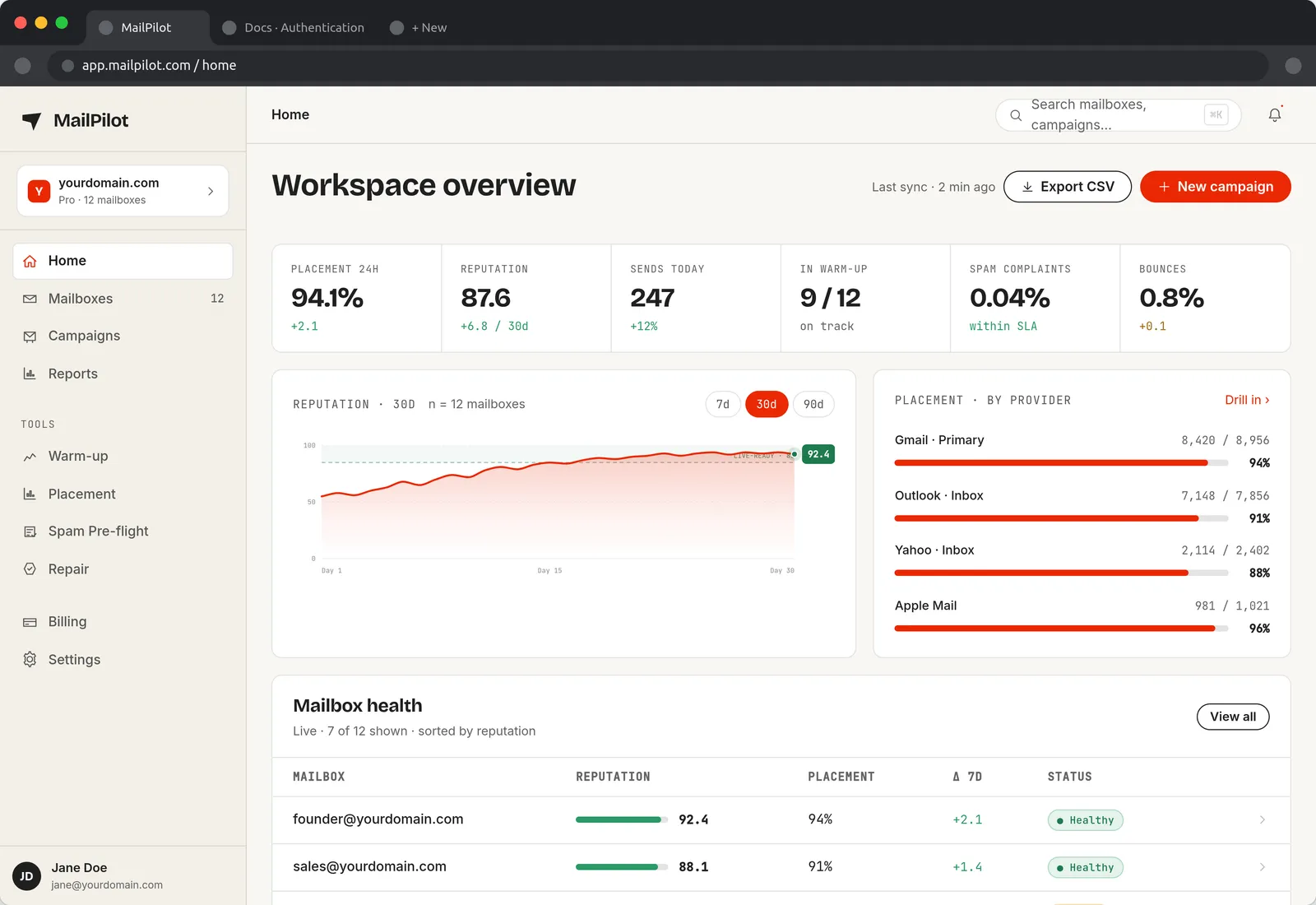
What MailPilot does
Email deliverability fails quietly. Nothing bounces, your campaign reports a normal send, and the mail simply lands in spam where nobody opens it. MailPilot closes that gap with four things that work together:
- Warm-up — builds sending history on a new or damaged mailbox automatically.
- Placement monitoring — tells you where mail actually lands at each provider.
- Reputation scoring — one 0–100 number per mailbox, trended over time.
- Pre-flight checks — catches content and authentication problems before you send.
Every mailbox, ranked by reputation
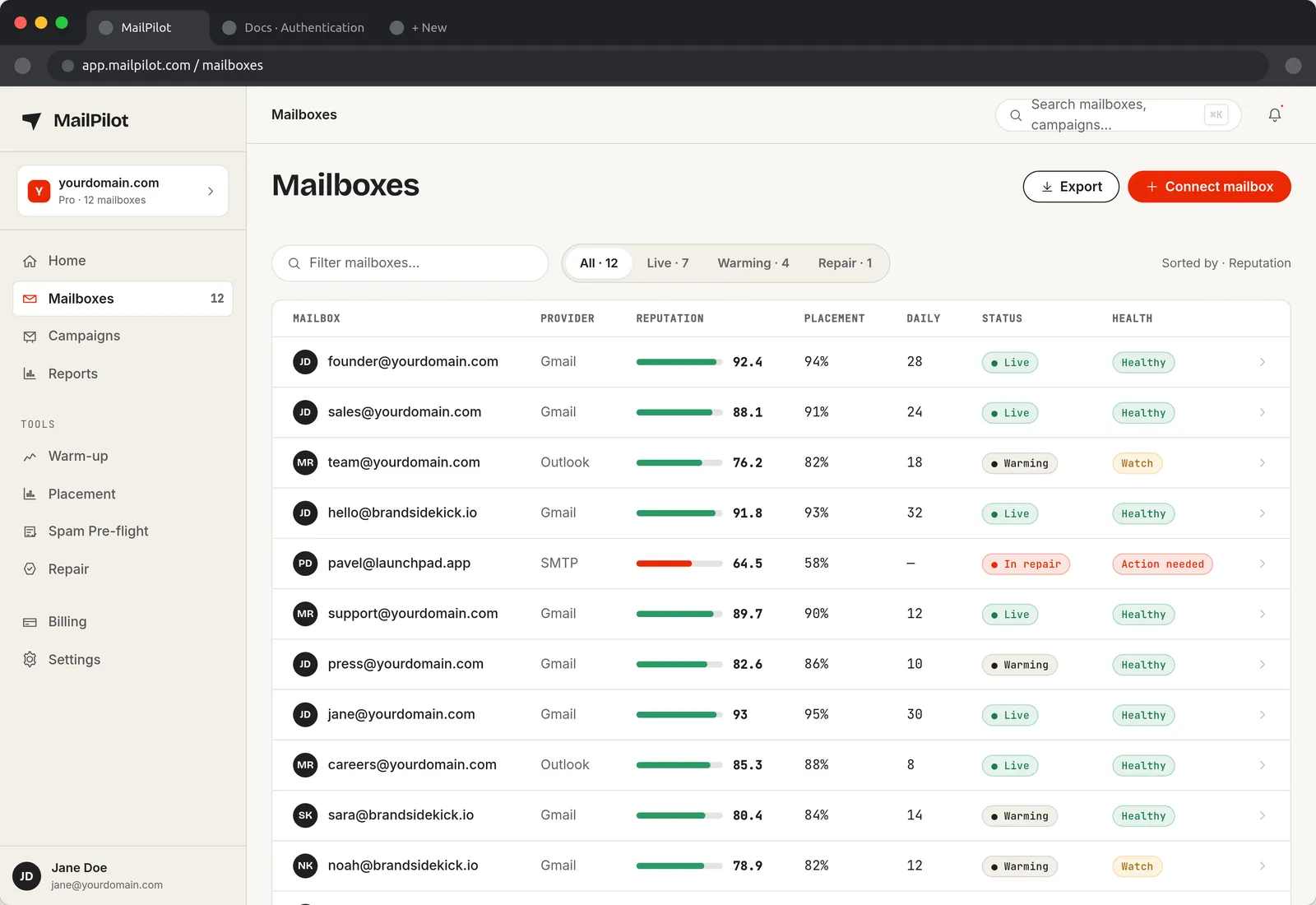
The Mailboxes screen is the daily working view. Each row is one sending address with its provider, reputation score, inbox placement percentage, current daily volume and a status: Live, Warming, or In repair when a mailbox has degraded badly enough to need intervention. Sorting by reputation puts the problem addresses at the bottom where you cannot miss them.
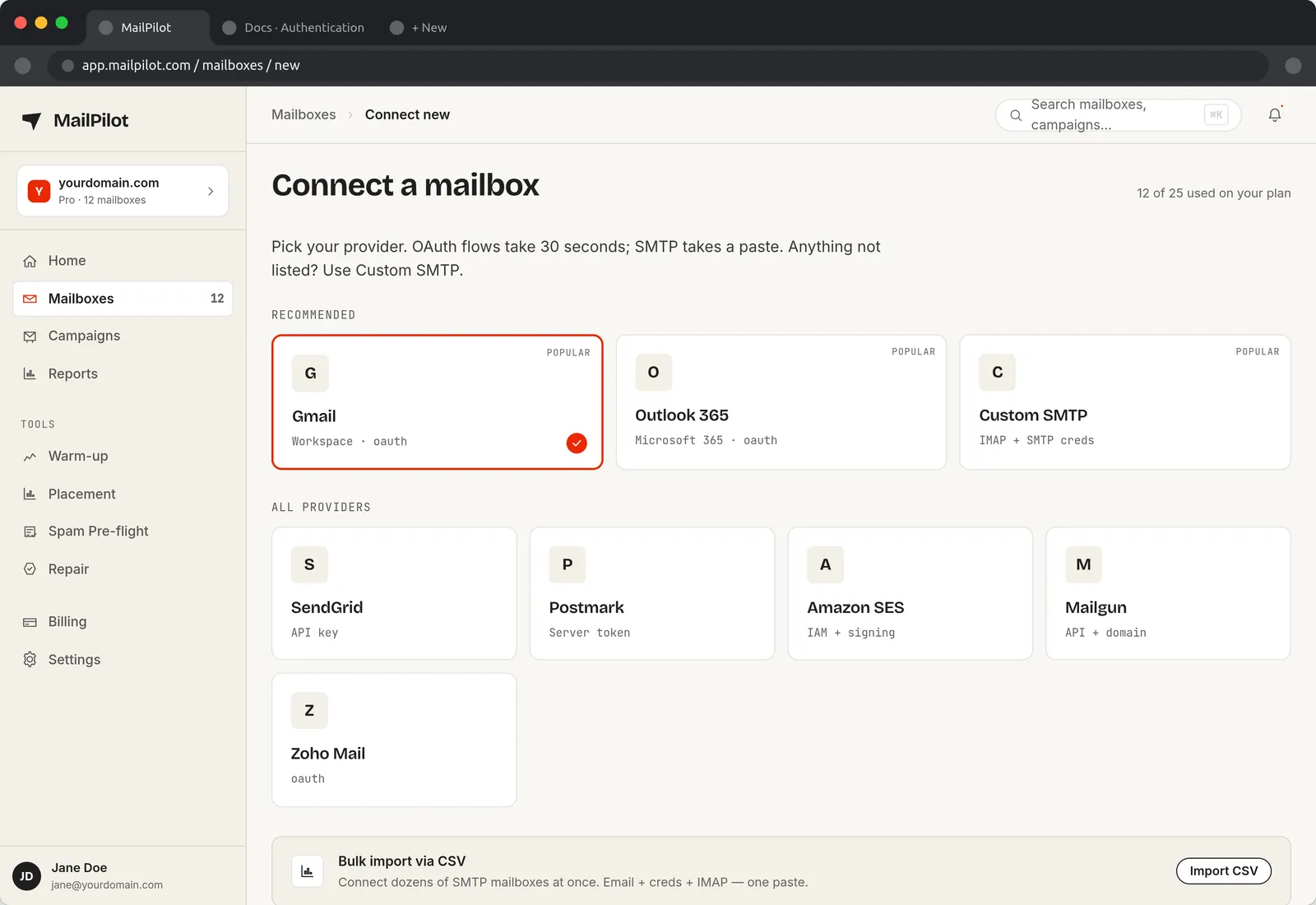
Connect a mailbox in under a minute
Google Workspace and Microsoft 365 connect over OAuth, so no password is ever typed into MailPilot and access can be revoked from your own admin console. Anything else connects over standard SMTP and IMAP. See our Gmail SMTP settings and Outlook SMTP settings guides for the exact host, port and app-password steps.
Warm-up that ramps itself
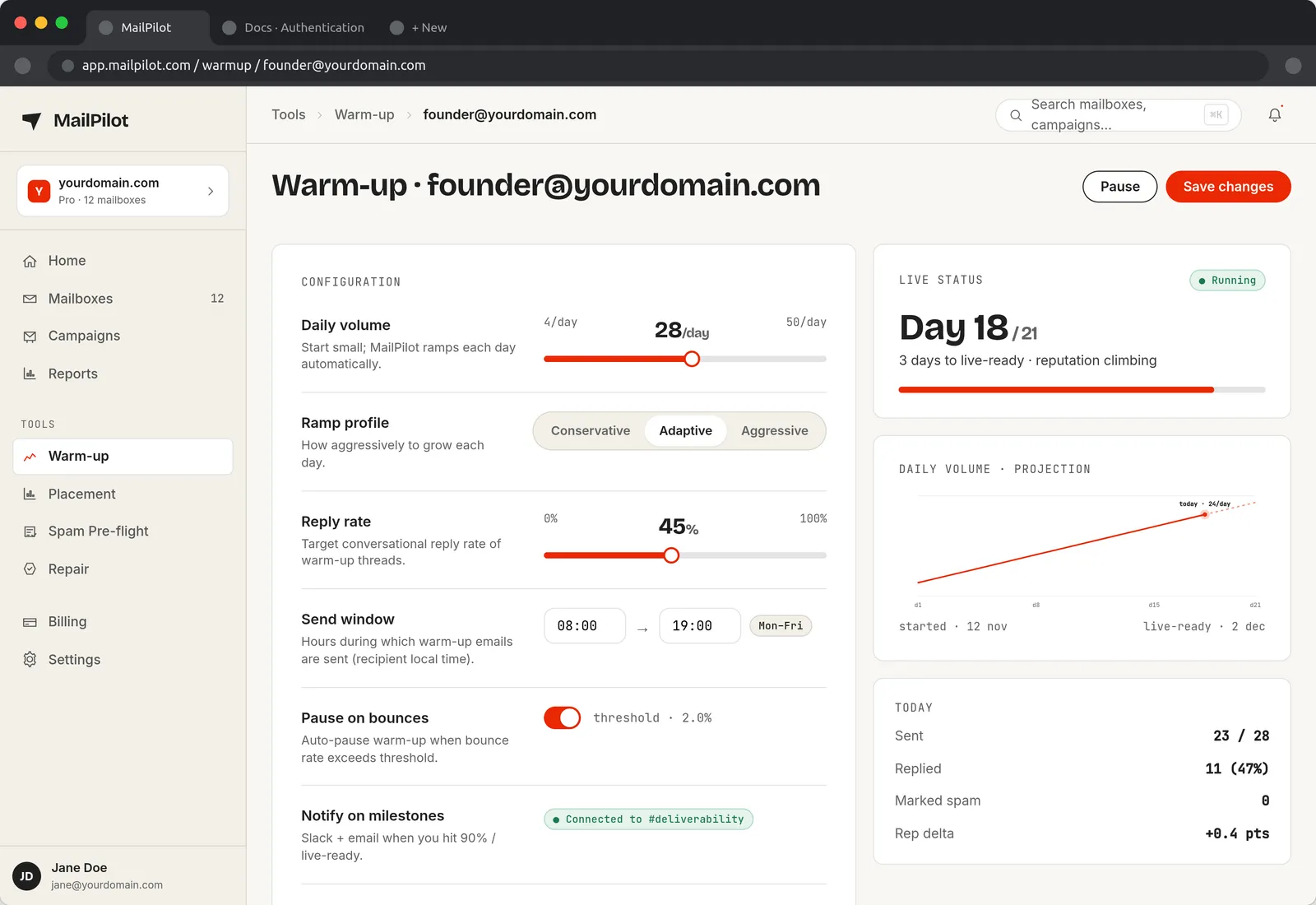
Warm-up works by sending real conversational mail between mailboxes in a network, opening it, replying to it and dragging it out of spam when it lands there — which is exactly the engagement signal Gmail and Outlook use to decide you are a legitimate sender. MailPilot sets the daily volume for you and increases it only while the numbers hold. If reputation or placement drops, the ramp pauses instead of pushing a damaged mailbox harder.
Background: what email warm-up is and why it works.
Placement, per provider — not one average
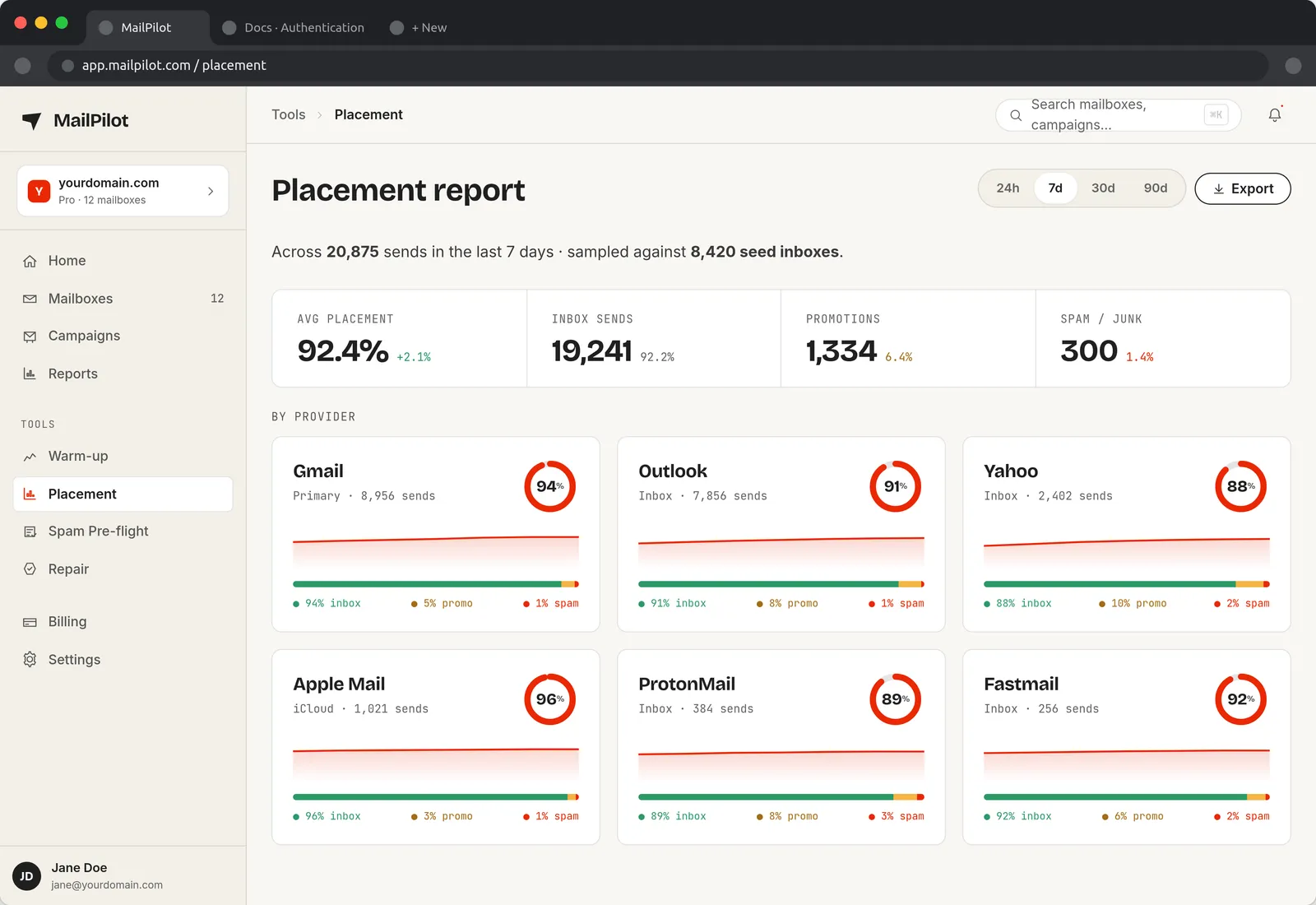
A single site-wide "deliverability" number hides the problem that matters. Gmail and Outlook filter on different signals and fail independently: it is routine to sit at 94% inbox on Gmail while Outlook quietly drops to 80%. MailPilot splits placement by provider and by folder, so you know whether you are fighting Gmail's Promotions tab or Microsoft's spam filter — two different fixes.
Spam pre-flight before the campaign goes out
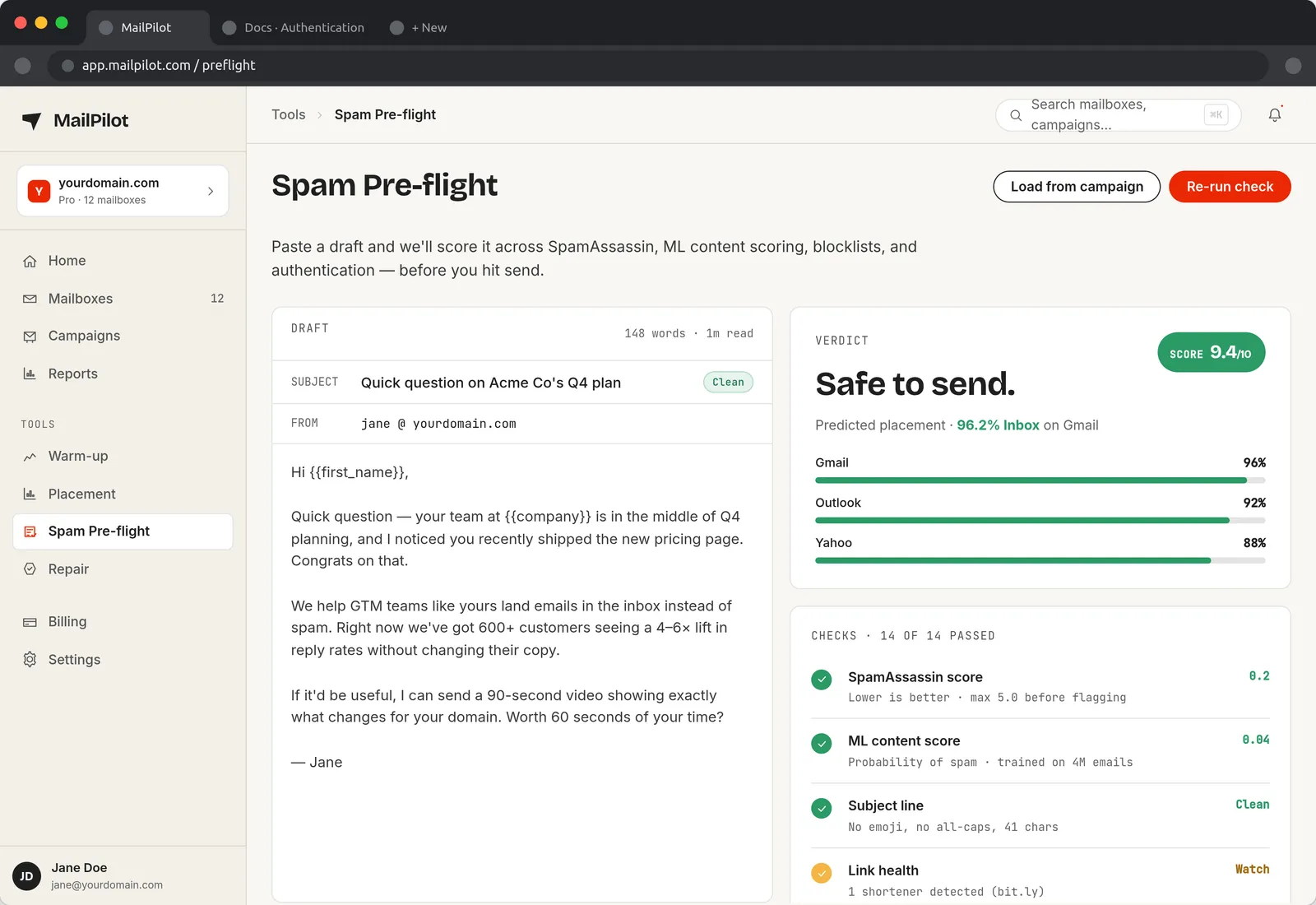
Pre-flight scores a draft the way a filter would: trigger words, shouting, punctuation, link density and thin copy on the content side, plus whether SPF, DKIM and DMARC actually authenticate for the sending domain. You get a risk score and the specific fix for each flag. The same content scoring is available here for free in our email spam checker, and the DNS side in the SPF/DKIM/DMARC checker.
Reports you can send to someone else
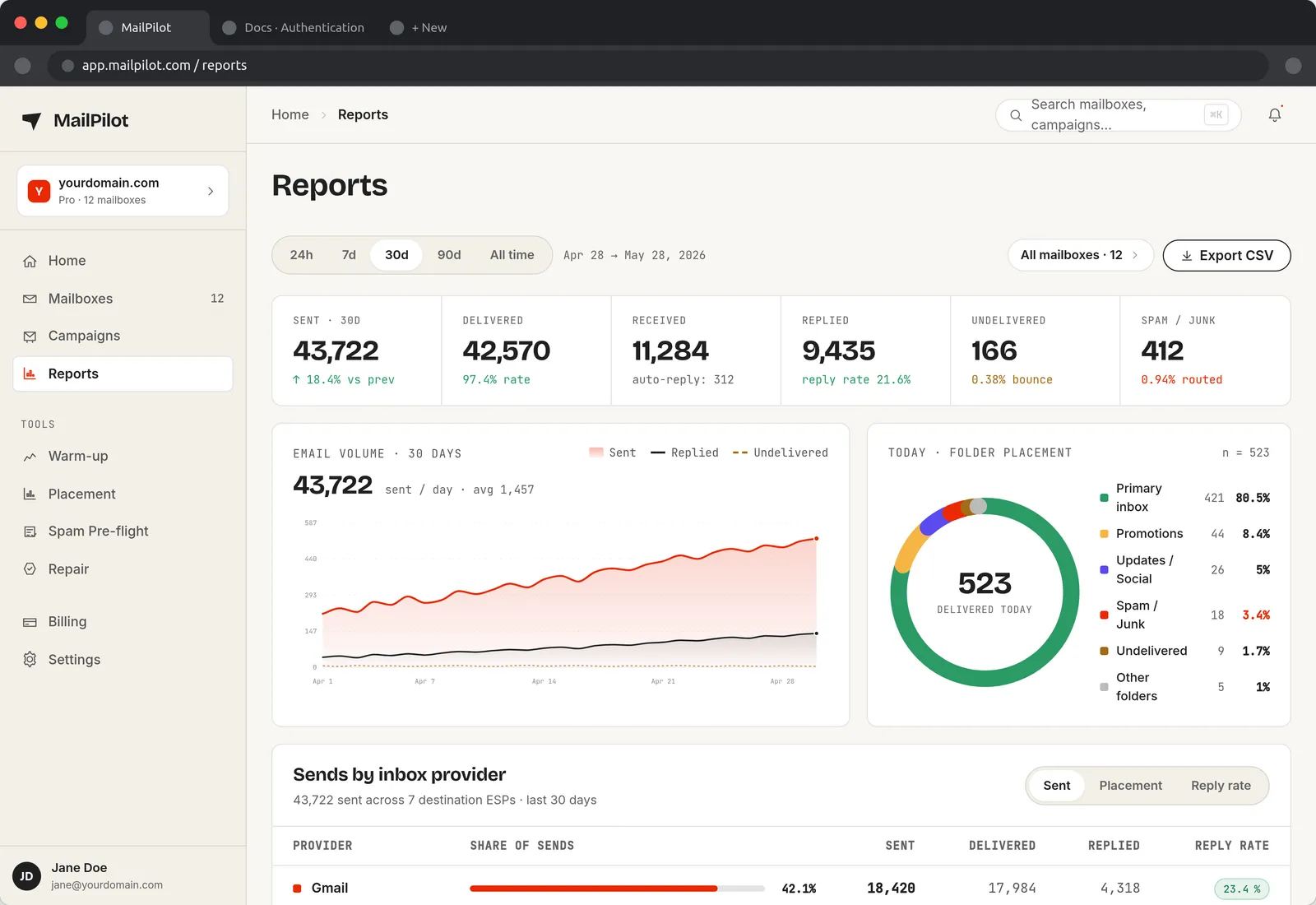
Reports roll placement, reputation, volume, complaint rate and bounce rate up over a date range and export to CSV — the view for the weekly check-in, or for proving a domain recovered after a blacklisting. Alerts go to Slack or Discord the moment placement crosses a threshold, so a bad week does not become a bad quarter.
How MailPilot relates to the free tools on this site
The tools on this site are one-off checks: paste an email, get a spam score; enter a domain, see whether SPF, DKIM and DMARC are valid or whether you are on a blacklist. They answer "is this broken right now?" MailPilot is the continuous version — it watches the same signals every day across every mailbox you send from, and it fixes reputation through warm-up rather than just reporting on it.
Land in the inbox — automatically
MailPilot warms up your mailboxes across a network of real inboxes, so your emails stop hitting spam — and alerts you in Slack & Discord the moment placement drops. Free plan for one mailbox, or a 7-day trial of the paid plans with unlimited mailboxes. No credit card.
Start free with MailPilotMailPilot — FAQ
What is MailPilot?
MailPilot is an email deliverability platform for teams that send cold email, newsletters or transactional mail from their own domains. It warms up each mailbox by exchanging real, engaged email across a network of inboxes, measures inbox-vs-spam placement per provider (Gmail, Outlook, Yahoo, Apple Mail), scores mailbox reputation 0–100, and alerts you in Slack or Discord when placement drops.
Which mailbox providers does MailPilot support?
Google Workspace and Gmail, Microsoft 365 and Outlook, and any provider reachable over standard SMTP/IMAP — which covers Zoho, Fastmail, Amazon SES, Mailgun, Postmark and self-hosted servers. Google and Microsoft mailboxes connect with OAuth, so you never paste a password; SMTP mailboxes use host, port and credentials.
How long does email warm-up take in MailPilot?
A brand-new domain typically needs 3–4 weeks before it is safe to send at volume. MailPilot starts at a handful of messages a day and ramps the daily volume automatically, holding or reducing the ramp if reputation or placement dips. Mailboxes with existing history usually stabilise in 10–14 days.
How does MailPilot measure inbox placement?
It sends seed messages to monitored mailboxes at each major provider and records where each one lands — Primary, Promotions, Updates or Spam. The Placement screen reports this as a percentage per provider, so you can see that, for example, Gmail is at 94% inbox while Outlook has slipped to 91%, instead of guessing from open rates.
What is the Spam Pre-flight check?
Pre-flight scores a draft before it is sent: trigger words, ALL-CAPS, punctuation, link density, image-to-text ratio, and whether the sending domain's SPF, DKIM and DMARC records authenticate. It returns a risk score plus the specific fix for each issue, so content problems are caught before they cost you a campaign.
Is there a free plan?
Yes. One mailbox is free on an ongoing basis, which is enough to warm up a single sending address. Paid plans add unlimited mailboxes, placement monitoring across all providers, reports and alerting, and start with a 7-day trial that does not ask for a card.