
warmup
What Is Email Warmup (and When Do You Actually Need It)?
If you’ve read through why emails go to spam, you already know reputation is one of the three pillars — and warmup is how you build it.
What warmup actually does
Email warmup gradually increases your sending volume from a domain while generating genuine engagement — opens, replies, mail being moved out of spam — across real mailboxes. Over 2–4 weeks, the mailbox provider observes a consistent, legitimate pattern and raises your trust level, which improves inbox placement.
When you actually need it
| Situation | Need warmup? |
|---|---|
| Brand-new sending domain | Yes — zero history, treated as suspicious by default |
| Domain that’s been inactive for weeks/months | Yes — reputation decays without activity |
| Ramping up volume significantly (10x+) | Yes — sudden spikes look like abuse |
| Established domain, steady moderate volume | No — you already have reputation |
| Cold outreach / prospecting from any domain | Yes, especially — recipients have never engaged before, the hardest signal to build |
Warmup doesn’t replace content or authentication
Warmup fixes reputation. It does nothing for spammy content or broken SPF/DKIM/DMARC — those need to be fixed independently:
- Clean content → Email Spam Checker
- Working authentication → SPF/DKIM/DMARC Checker
- Not blacklisted → Blacklist Checker
- Reputation → warmup
All three factors need to hold at once for reliable inbox placement.
Doing it well
Manual warmup (sending to contacts who’ll engage, increasing volume slowly) works but is slow and easy to mess up — ramping too fast is the single most common failure. A warmup tool automates the volume curve and generates real engagement at scale, which is why most senders and agencies use one rather than doing it by hand.
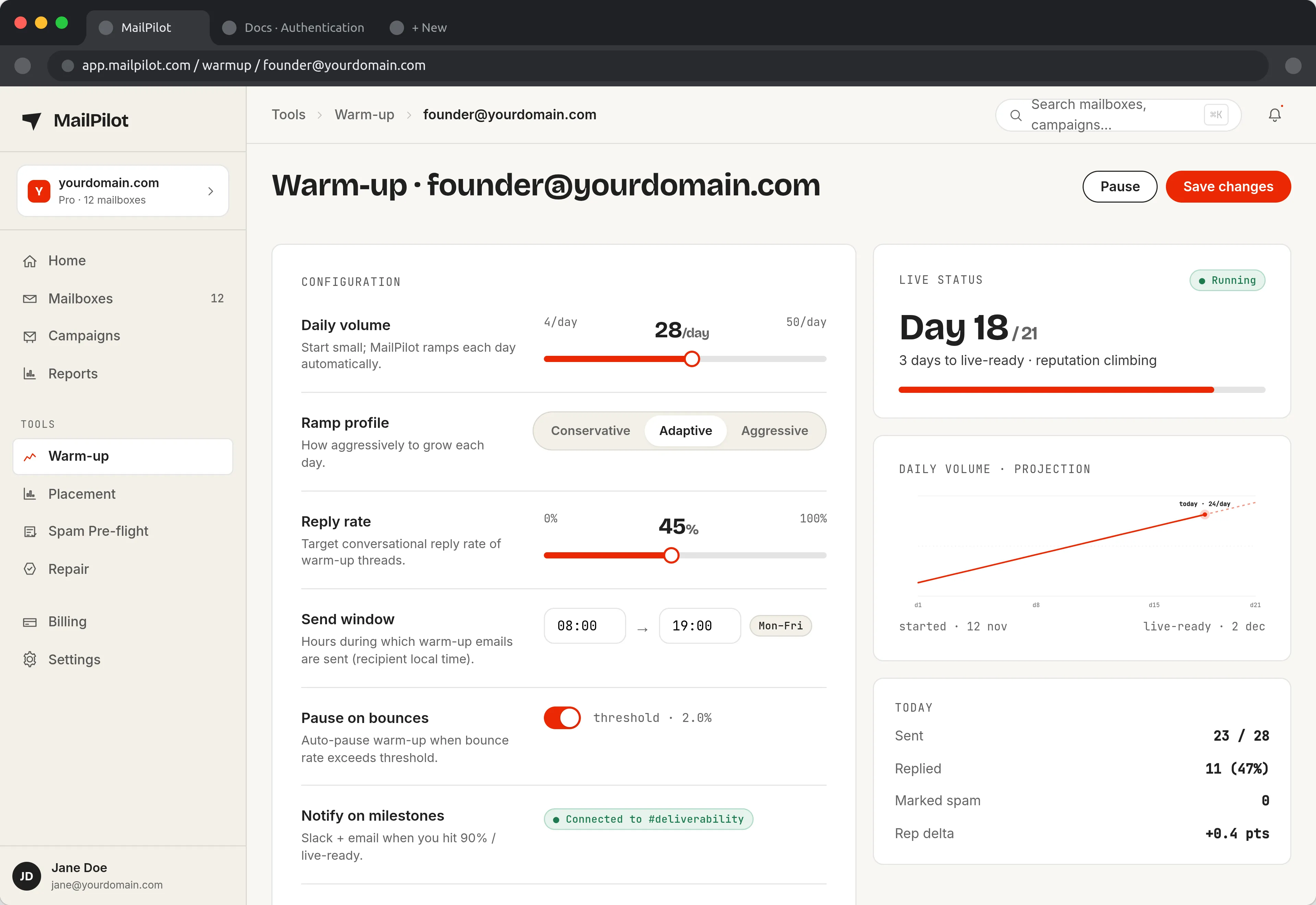
A warmup tool sets the daily volume curve for you and pauses the ramp if reputation dips — instead of pushing a damaged mailbox harder. (Full product tour)
MailPilot automates exactly this — it warms up your mailbox across a network of real inboxes, sending, receiving, opening, and replying to build the engagement history providers reward, without manual work on your end.
For deeper guides on warmup schedules, provider-specific setup, and strategy, see the full email warmup blog.
If you send through Gmail or Google Workspace, the ceiling you are ramping toward is fixed — see Gmail’s sending limits for the real numbers.
Land in the inbox — automatically
MailPilot warms up your mailboxes across a network of real inboxes, so your emails stop hitting spam — and alerts you in Slack & Discord the moment placement drops. Free plan for one mailbox, or a 7-day trial of the paid plans with unlimited mailboxes. No credit card.
Start free with MailPilotWhat Is Email Warmup (and When Do You Actually Need It)? — FAQ
Do I need email warmup if my content and authentication are already perfect?
Yes, if the sending domain is new or has been inactive. Content and authentication prove your mail is legitimate and unaltered, but they say nothing about your sending HISTORY — and mailbox providers weight history heavily. A brand-new domain with perfect SPF/DKIM/DMARC and flawless copy can still get filtered simply because it has no track record yet.
How long does email warmup take?
Typically 2–4 weeks for a new domain to reach steady sending volume, depending on how aggressively you ramp. Rushing it (sending high volume immediately) is the most common way warmup fails — mailbox providers want to see a gradual, consistent pattern, not a sudden spike.
Is email warmup only for cold outreach?
No — any new sending domain benefits, including transactional and marketing senders. Cold outreach tends to need it most because it inherently sends to people who've never engaged with the sender before, which is the hardest reputation signal to build.
Can I warm up manually without a tool?
Yes, technically — send small volumes to contacts who'll open and reply, and increase gradually. In practice this is slow, hard to scale, and easy to get wrong (ramping too fast, not enough genuine engagement). A warmup tool automates the volume ramp and generates real engagement across a network of inboxes, which is why most senders use one instead of doing it by hand.