
spam placement
How to Stop Emails Going to Spam: A Step-by-Step Fix
If your emails are landing in spam right now, here’s the exact order to fix it — each step either takes effect immediately or tells you clearly what to do next.
Step 1 — Check your content (2 minutes)
Run the email through the Email Spam Checker. Fix anything it flags: trigger words, ALL-CAPS, excessive punctuation, too many links, thin body.
Takes effect: your very next send.
Step 2 — Check your authentication (5 minutes)
Run your sending domain through the SPF/DKIM/DMARC Checker. If any record is missing or fails:
- Fix your SPF record (add it if missing, correct the
allmechanism). - Enable DKIM signing in your email provider’s settings.
- Add a DMARC record starting at
p=none.
Takes effect: your very next send (once DNS propagates, usually minutes to a few hours).
Step 3 — Check your blacklist status (2 minutes)
Run your domain/IP through the Blacklist Checker. If listed, follow that blocklist’s specific delisting process — see email blacklist check & how to get delisted.
Step 4 — If it’s still happening, it’s reputation
If content, authentication, and blacklist status are all clean and mail still lands in spam, the cause is sender reputation — your domain or IP hasn’t built up enough trust with the mailbox provider yet. This is common for:
- New domains — zero history, so providers default to suspicious.
- Domains that went quiet and are sending again after a gap.
- Domains that ramped volume too fast.
The fix: warm up the domain
Warmup gradually increases send volume while generating genuine engagement (opens, replies, mail moving out of spam) across real inboxes — so the provider observes a consistent, legitimate pattern and raises your trust level. This typically takes 2–4 weeks, done automatically by a warmup tool rather than by hand.
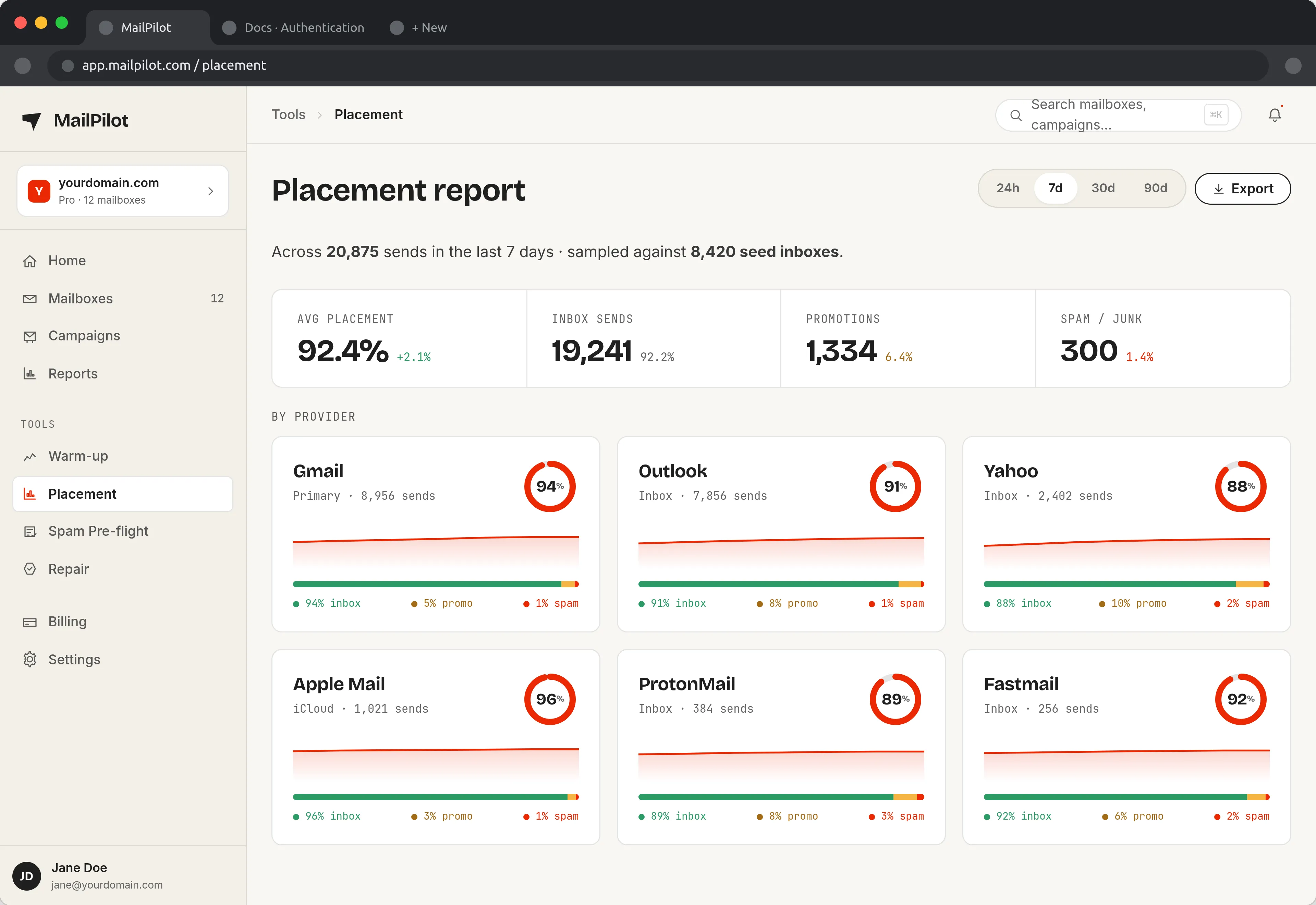
Placement is per-provider: Gmail can sit at 94% inbox while Outlook quietly drops to 80%. A single average hides the problem you actually have. (Full product tour)
The full order, summarized
- Spam checker → fix content
- Auth checker → fix SPF/DKIM/DMARC
- Blacklist checker → get delisted if needed
- Still in spam? → warm up the domain
Most cases resolve at step 1 or 2. If you’re at step 4, see the full why emails go to spam breakdown.
Land in the inbox — automatically
MailPilot warms up your mailboxes across a network of real inboxes, so your emails stop hitting spam — and alerts you in Slack & Discord the moment placement drops. Free plan for one mailbox, or a 7-day trial of the paid plans with unlimited mailboxes. No credit card.
Start free with MailPilotHow to Stop Emails Going to Spam — FAQ
What's the fastest way to stop emails going to spam?
Run your email through a spam checker and fix anything it flags — that's the fastest lever and takes effect on your very next send. If mail still lands in spam after clean content, check your SPF/DKIM/DMARC next; those also take effect immediately once corrected. Reputation issues take longer (2–4 weeks of warmup) to resolve.
Can I fix this myself or do I need a tool?
Content and authentication checks are quick to do yourself with a checklist and a free checker. Reputation building (warmup) is technically possible manually — send small volumes, ask contacts to reply — but it's slow and easy to get wrong. A warmup tool automates the volume ramp and engagement generation, which is why most senders use one rather than doing it by hand.
Does marking my own email as 'not spam' help?
Only a little, and only for your own inbox — it doesn't change your sender reputation with the provider at scale. What actually moves reputation is aggregate signals across MANY recipients: low complaint rates, good engagement, and consistent authenticated sending over time.